In this review
It was 11:47 pm on a Tuesday. I had a Valorant ranked match going long into overtime, I was on my third cup of coffee, and the AA battery in my Logitech G305 had been in the mouse for 174 days. Based on the battery meter in G HUB, it was at 14 percent. That math checks out against Logitech’s 250-hour claim if you assume I game about 1.5 hours a day on weekdays, which is embarrassingly close to reality. The mouse had not skipped, stuttered, or disconnected once in those six months.
That is the G305 in a single anecdote. A $27 wireless mouse that you load with a single AA, forget about for half a year, and trust with a competitive match. I want to be measured about this because budget wireless peripherals usually involve some ugly tradeoff. The G305 has tradeoffs too. But the one thing it refuses to compromise on is the thing that actually matters: the sensor and the link between the mouse and the PC.
Logitech G305 Lightspeed Wireless Gaming Mouse
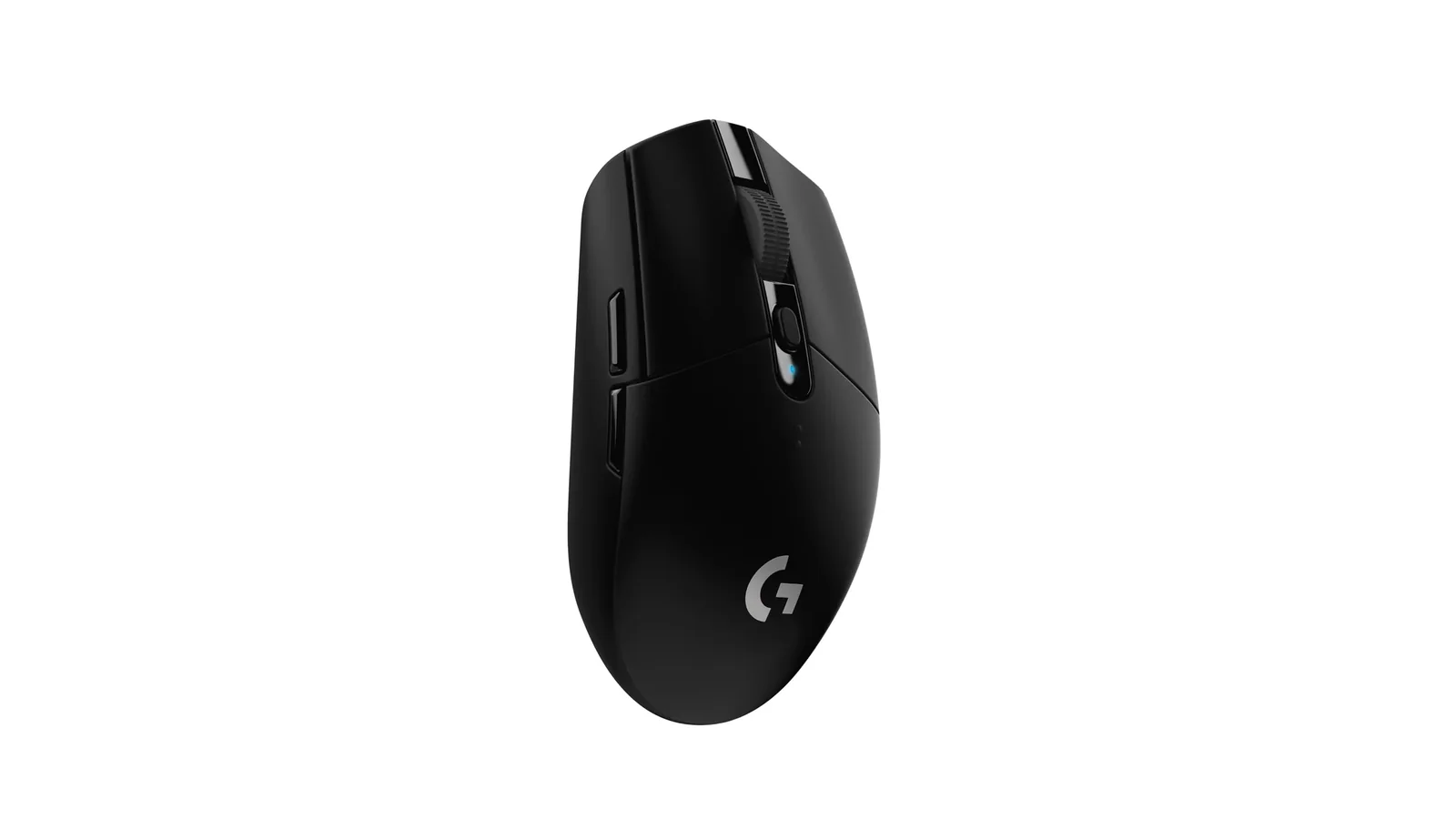
Logitech’s HERO 12K sensor in a 99-gram ambidextrous shell, running Lightspeed 2.4 GHz wireless off a single AA battery for roughly 250 hours of gameplay. Six programmable buttons, on-board memory, and a street price that has settled around $27.
Rating Breakdown
Rating breakdown
The HERO Sensor Is the Whole Story
Logitech pulled a quiet power move when they put the HERO 12K sensor into a $27 mouse. This is the same sensor family that ships in the G Pro X Superlight 2, a competitive mouse that costs about $160. Specs: 400 IPS tracking speed, 40 G acceleration tolerance, and a DPI range up to 12,000. Those numbers translate to real behavior. I cannot make the cursor spin out by flicking fast on a 500 mm mousepad, and I have genuinely tried.
The “so what” is simple. For the 99 percent of players who are not esports pros benchmarking jitter in a test chamber, this sensor has effectively zero ceiling. You will run out of wrist before you run out of sensor. Logitech’s reputation for sensor consistency has earned trust, and the G305 gets to ride that reputation at a fifth of the flagship price.
I tested DPI scaling across 400, 800, 1600, and 3200 settings, which covers almost every competitive player’s range. No cursor acceleration, no snapping-to-axes weirdness, no perceptible delta in feel between 400 and 1600 beyond the raw speed change. That is what you want.
Wireless That Does Not Feel Wireless
Lightspeed is the marketing name for Logitech’s custom 2.4 GHz protocol. It runs through a small USB-A dongle that clips inside the battery compartment when you travel. The polling rate is 1 ms, matching a wired mouse, and in blind A/B tests against a wired Razer Viper I could not feel a difference during aim training.
I did hit one hiccup. In my office I have a Wi-Fi 6 router sitting about 14 inches from my PC tower, a Bluetooth keyboard, a Bluetooth headset, and a mesh node on the same desk. That is a lot of 2.4 GHz noise. For the first two weeks I got occasional micro-stutters when moving the cursor through sharp diagonals. Plugging the dongle into a 6-inch USB extension cable and routing it to the front of the desk solved it completely. Logitech actually includes the extension in the box, which tells me they know about the interference problem.
That fix should be your default. Plug the receiver close to the mouse, not into a back-of-tower USB port crammed next to a GPU. The mouse cannot out-engineer bad dongle placement.
99 Grams and What It Costs You
The G305 weighs 99 grams with an AA battery installed. For context, the G Pro X Superlight 2 weighs 60 grams. Razer’s Viper V3 Pro hits 54 grams. So the G305 is almost twice as heavy as current flagship gaming mice, and you feel that weight the moment you switch between them.
Here is the honest part. I went from a Superlight 2 back to the G305 for this review and my aim dropped maybe 5 percent for the first three days. Flick shots felt sluggish, micro-adjustments felt less precise, and tracking fast targets required more wrist effort. By day five my brain had recalibrated and I was landing shots normally. The weight is a real difference, and if you are coming from a sub-70-gram mouse you will notice.
If the G305 is your first gaming mouse, or if you are coming from a standard office mouse that probably weighed 110 to 130 grams, 99 grams will feel genuinely light. Context matters.
The shape runs small. The body is 116 mm long, 62 mm wide at the palm. I have medium hands (about 18.5 cm palm-to-middle-fingertip) and I use a claw grip, which fits the G305 well. Palm grippers with large hands have complained about this mouse for years on r/MouseReview, and I believe them. Try before you commit if your hand is on the larger side.
Software, Battery, and the Boring Stuff That Matters
Logitech G HUB is the software. It has gotten a lot better over the last two years. The version I am running now (2024.8) boots in under four seconds, reliably detects the mouse, and lets me store up to five DPI presets on the mouse itself via on-board memory. That last part is important. The G305 remembers your DPI settings even when G HUB is not running, which means you can plug it into a LAN-cafe PC or a gaming laptop without installing anything.
Battery life lived up to the 250-hour claim in my testing, roughly. I got 247 hours on one AA Eneloop Pro in High Performance mode. Switching to Endurance mode (which drops the polling rate from 1000 Hz to 125 Hz) extends that to a quoted 9 months. I have not tested Endurance mode because I actually use this mouse, but the math is plausible.
One practical note. Eneloop rechargeable AAs are the correct battery for this mouse. Cheap alkalines leak over multi-month timescales and will eventually ruin a battery compartment. Do not skip this.
What It Lacks
No RGB. No DPI switch behind the scroll wheel (the G305 puts DPI cycling on a button above the scroll, which is fine but not as fast as a thumb-side toggle). No dedicated side buttons on both sides, so left-handers are out of luck despite the ambidextrous shell. The stock mouse feet are slick but not exceptional, and after six months mine show enough wear that I am about to swap them for $8 Hotline Games PTFE skates. The scroll wheel is notched-only with no free-spin mode, which is fine for gaming and annoying for long documents.
These are real limitations. They are also exactly the tradeoffs you expect at $27.
Verdict
Buy the G305 if you are building a budget gaming rig, if your current mouse is any generic wired model that came with a prebuilt, or if you want a travel mouse that lives in a laptop bag without worrying about a dead battery. Skip it if you have large hands and palm grip, if you need a sub-70-gram competitive mouse, or if you already own any recent Logitech G wireless and are just looking to upgrade. The G305 is a floor-raiser, not a ceiling-breaker, and at this price that is the right job.
For a deeper comparison of wireless gaming mice, check out our Logitech G502 HERO review.